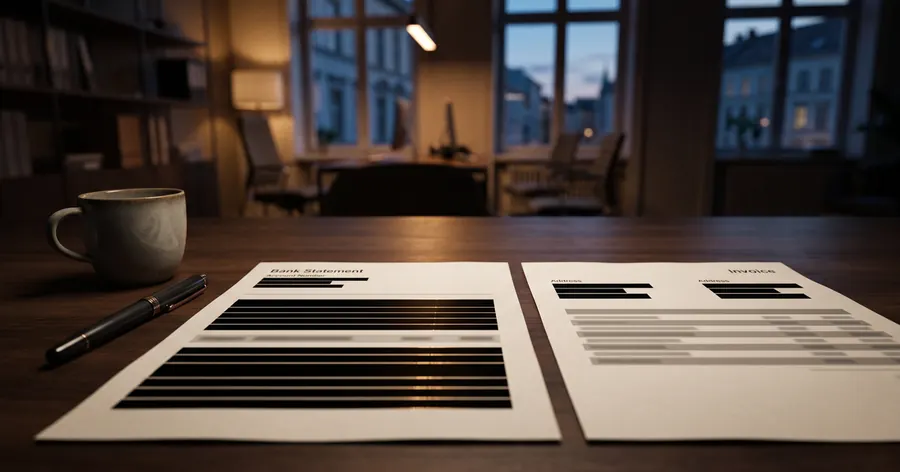
A bank statement shows the account holder, the IBAN, the balance and every payment with its counterpart, and an invoice shows two names, two addresses and often two bank accounts. Before either goes to a landlord, an adviser or an AI chat, decide what the recipient has to read, black out the rest and check the saved file.
What these documents contain
A bank statement is a list of personal data in date order. The header carries the name and address of the account holder, the IBAN and often the BIC, the statement period and the balance. Each line carries a date, an amount and a counterpart: the employer that pays the salary, the landlord, the shop, the doctor, the gym, the union. The GDPR defines personal data as any information relating to an identifiable person (Article 4(1)), and a statement relates to the account holder and to every person named in a transaction.
Article 9(1) of the GDPR prohibits in principle the processing of data revealing trade union membership, religious or political beliefs and health. A monthly payment to a union, a donation to a church or a party, or a payment to a clinic or a pharmacy can reveal exactly that, so the transaction lines are the part of a statement that most needs reading before it leaves your hands.
An invoice contains personal data by law. Article 226 of the VAT Directive lists the details an invoice must show, among them the full name and address of the supplier and of the customer and the VAT identification numbers. When the customer or the supplier is a sole trader, a freelancer or a private person, those fields are personal data, and many invoices add an IBAN for the payment and an email or phone number for contact.
What to redact and what to keep
The table lists the usual fields and the decision most recipients allow. The purpose of the copy decides the final call.
| Document and field | Usual decision | Reason |
|---|---|---|
| Statement: holder's name and address | Keep for proof of income, mask for an example or an AI chat | The recipient may need to know whose account it is |
| Statement: IBAN, BIC, card numbers | Mask | Not needed to read income or a payment |
| Statement: incoming salary line | Keep | Usually what proof of income has to show |
| Statement: other transaction lines | Black out | Counterparts and amounts the recipient does not need, some revealing health, religion or union membership |
| Statement: balance | Keep or black out, per recipient | Some recipients need it, most do not |
| Invoice you issue: names, addresses, VAT numbers | Keep on the original | Required by Article 226 of the VAT Directive |
| Invoice copy for an example, a comparison or an AI tool: names, addresses, VAT numbers, IBAN, email, phone | Mask | The recipient reads the items, the amounts and the terms |
| Invoice: items, quantities, amounts, VAT rates, dates | Keep | The content of the transaction |
German data protection authorities say it in the same terms for tenants. Their guidance on rental applicants, version 2.0 of January 2026, allows proof of income shortly before signing as a copy of a payslip, a bank statement or a tax assessment, each with the details that are not needed blacked out. In France the CNIL lists bank statements among the documents a landlord or an agency may not ask a rental candidate for.
The GDPR asks that personal data be limited to what is necessary for the purpose (Article 5(1)(c)): the recipient's question decides which lines of a statement stay.
How to redact a bank statement or an invoice step by step
- Download the statement or the invoice as a PDF from the bank or the accounting software, and work on a copy.
- Write down the recipient and what they must read: the salary received, one payment made, the total of an invoice, a payment term.
- Mask the IBAN, the BIC and any card number in the header, and look for them again in the footer and on every page.
- Black out every transaction line except the ones the recipient needs, and check the counterpart names for health, religion, politics or union membership.
- On an invoice copy, mask the names, addresses, VAT numbers, IBAN, email and phone of the parties, and keep the items, amounts and VAT rates.
- Look for the same data outside the text: a QR code for payment, a logo with the name of a sole trader, a scanned signature, a reference that contains a name.
- Remove the author and the title from the file properties and rename the file without a surname.
- Check the saved file: search for the first characters of the IBAN and for the surname, and paste the text into a plain editor.
What goes wrong when a statement is redacted
The common failure is a black rectangle placed over text that stays in the file. A bank statement exported from online banking is a PDF with a text layer, so a box drawn in a viewer or an image editor hides the number from the eye and leaves every character in place for a copy and paste.
An English case shows how little it takes. In London Borough of Lambeth v AM, decided by the High Court on 5 February 2021, the council had redacted social services records electronically before disclosing them to a parent. The judgment records that the parent simply copied and pasted the redacted file into Word, and the text underneath became readable, including the identity of the person who had made a child protection referral. The council went to the High Court and obtained an injunction.
A second failure is redacting one place and missing another. The IBAN can appear in the header, in a payment line where you transferred money to yourself, and again in the footer, and an invoice may print the bank details under the total and in the payment QR code. Read the whole document once for each identifier.
Good practice for statements and invoices
- Ask the recipient what they need before you send anything. A landlord who needs to see income does not need the transactions of a whole month.
- Prefer a document made for the purpose: a salary certificate, a balance confirmation or a single payment receipt from the bank carries less than a full statement.
- Keep the original statement and the original invoice untouched in your records, and redact only the copy that leaves.
- Use a black-out that removes the text, and test the file with a search before you send it.
- When an AI tool has to read the content, mask the names and numbers and let it work on placeholders, so the amounts and dates stay readable.
How Redactic redacts a bank statement or an invoice
Upload the statement or the invoice as a PDF, a scan, a photo or a Word or Excel file, and Redactic finds the names, addresses, email addresses, phone numbers, IBANs, card numbers and VAT numbers, and confirms IBANs and VAT numbers by their check digits. In Review and edit you see every item on the page, you select a transaction line or a counterpart to add it, and you draw a box over a QR code, a logo or a signature. Black out removes the selected text from the file and leaves black boxes in its place, with no map to bring it back, and the file metadata is removed. Mask replaces the same values with placeholders when the copy goes to an AI tool. The payroll and accounting page shows the steps on a sample document, the free trial takes your own file, and documents are never stored and never used to train AI models. Related guides: how to redact a payslip before you send it and how to anonymise an Excel or CSV file.
Frequently asked questions
Can I send a bank statement with only the last digits of the IBAN covered?
Cover the whole IBAN unless the recipient needs it to make a payment. An IBAN is an identification number of an account and of its holder, and the recipient of a statement used as proof of income or of a payment does not need it. Covering a few digits leaves the rest of the number in clear, so it is a weaker choice than removing it.
Which lines of a bank statement can reveal sensitive data?
Payments to a trade union, a church, a political party, a doctor, a pharmacy or a clinic. Article 9(1) of the GDPR prohibits in principle the processing of data revealing union membership, religious or political beliefs and health, and a single transaction line can reveal one of them. Black out the lines the recipient does not need, and keep only the incoming salary or the payment you want to prove.
Must an invoice keep the names of the supplier and the customer?
The invoice you issue must. Article 226 of the VAT Directive lists the full names and addresses of the supplier and of the customer and their VAT numbers among the details an invoice has to show. A copy you send to someone outside the transaction, such as a colleague comparing quotes or an AI tool, can be redacted, as long as the original stays intact in your records.
How do I check that the account number is gone?
Open the file you will send, search it for the first four characters of the IBAN and for the account holder's surname, then select all text and paste it into a plain text editor. If either appears, the black box covers the number on screen and the text is still in the file.
Sources
- Regulation (EU) 2016/679 (GDPR), Articles 4(1), 5(1)(c) and 9(1), accessed 2026-11-12.
- Council Directive 2006/112/EC on the common system of value added tax, Article 226, accessed 2026-11-12.
- Datenschutzkonferenz, Orientierungshilfe zur Einholung von Selbstauskünften bei Mietinteressent:innen, version 2.0, January 2026, section C.2 (in German), accessed 2026-11-12.
- CNIL, Location d'un bien immobilier : quels justificatifs peut-on demander aux candidats ?, 10 October 2025 (in French), accessed 2026-11-12.
- High Court of England and Wales, London Borough of Lambeth v AM (Judgment No. 2) [2021] EWHC 186 (QB), 5 February 2021, accessed 2026-11-12.